
Website lead forms
Build a contact form, embed it on your website and turn every submission into a prospect, a contact and a deal in your CRM.
Build a contact form in Xcellerate OPS and embed it on your website with one line of code. Every submission lands in your CRM as a prospect company, a contact and a new deal in the pipeline you choose, with the message on the timeline. You decide which fields the form asks for, including your own custom fields.
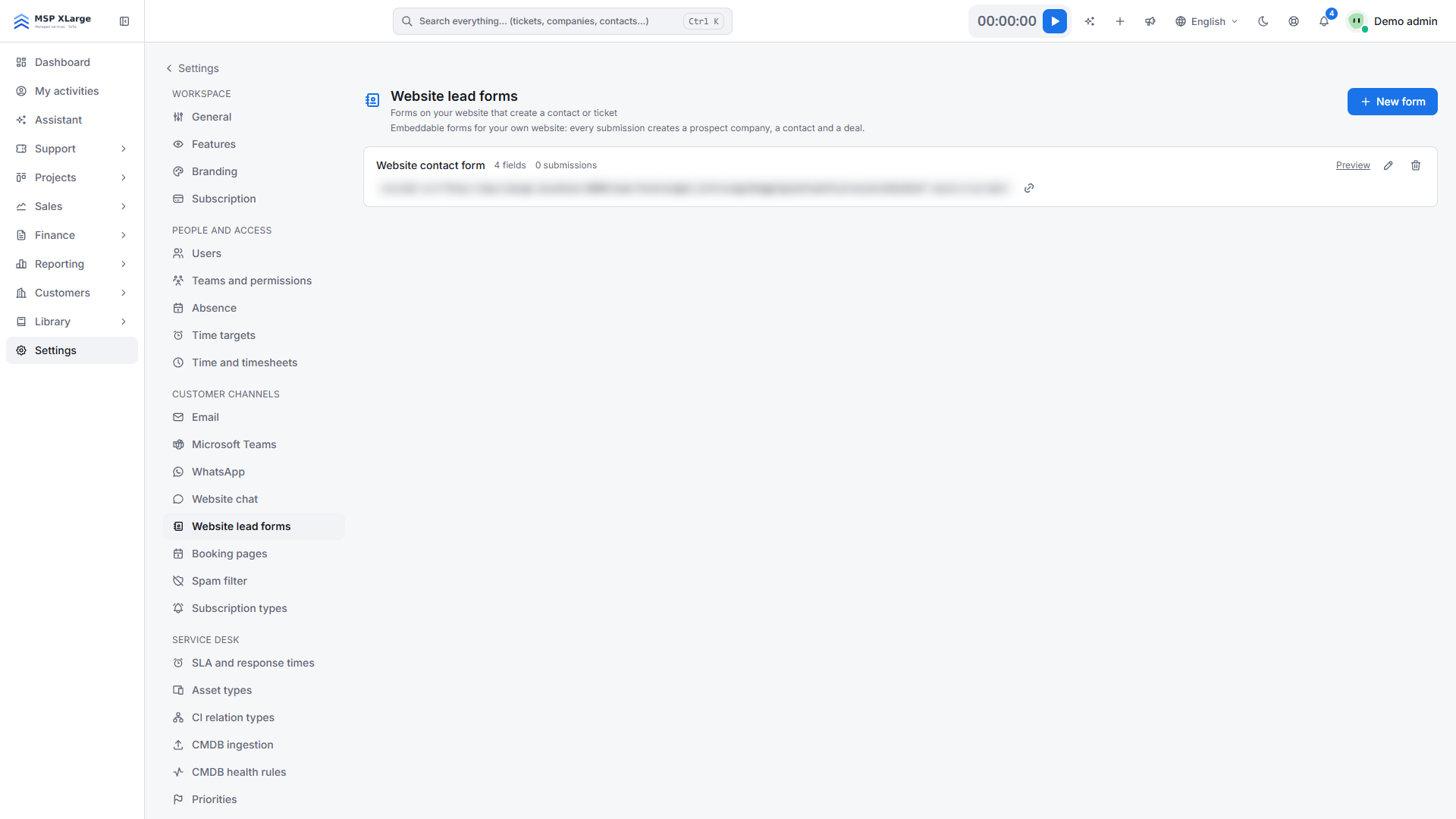
Only workspace admins can set this up. Go to Settings → Website lead forms.
What you need first
- The ability to paste a
<script>tag on your website. - Optional: custom fields under Settings → Custom fields if you want to map form fields to them.
- Optional: a pipeline and a deal source if you do not want the defaults.
Create a form
Start a new form
Click New form and enter a name. Optionally add an Intro text and a Button label.
Choose the fields
Use Add standard field… (Name, Email, Company, Phone, Message) and Add custom field… for company, contact or deal fields. Tick Required where needed. Name and Email are always required. A form can have up to 40 fields.
Choose the pipeline
Pick a Pipeline. If you leave it empty, the default pipeline is used. Optionally choose a deal source; the default is "Website".
Enable and save
Make sure Enabled is on and save.
Embed the form
Copy the form's embed snippet and paste it on your website. It looks like <script src="https://<your-workspace-host>/lead-form/widget.js?k=<form-key>" async></script>. Use Preview to test the form; the preview also works while the form is disabled.
What happens with a submission
- The contact is matched by e-mail address. Otherwise the company is matched by name. Otherwise a new prospect company is created (named after the person if no company was given), together with a new contact.
- A deal called "Lead: <name> (<company>)" is created in the first open stage of the chosen pipeline, with the message as notes and the deal source set.
- Values for mapped custom fields are stored on the company, contact or deal. A value of the wrong type is skipped and the lead is still kept.
- A timeline note "Lead form: <form name>" is added, and the "opportunity created" event fires, so your notifications, webhooks and automations can react.
Limits
- On your website the form appears as a floating button that opens the form in a panel, not as an inline form.
- Each visitor can submit up to 10 times per minute.
- Deleting a form breaks its snippet. Disabling a form hides the button.
Troubleshooting
- Nothing arrives: the form is disabled, the key in the snippet is wrong, or the submission was treated as spam. Your spam rules under Settings → Spam filter apply, and a spam submission gets a normal answer, so the visitor sees no error.
- "Unknown custom field mapping.", "Unknown form field." or "Unknown deal source." when saving: check the fields and deal source you chose.