Visible features
Hide the parts of the menu your business does not use. Hiding is not access control.
Settings → Features has one toggle per feature, grouped by the main menu hub it belongs to: Support, Service, Projects, Sales, Finance, Reporting, Customers and Library. Hidden items disappear from the menu, and a hub whose items are all hidden disappears too.
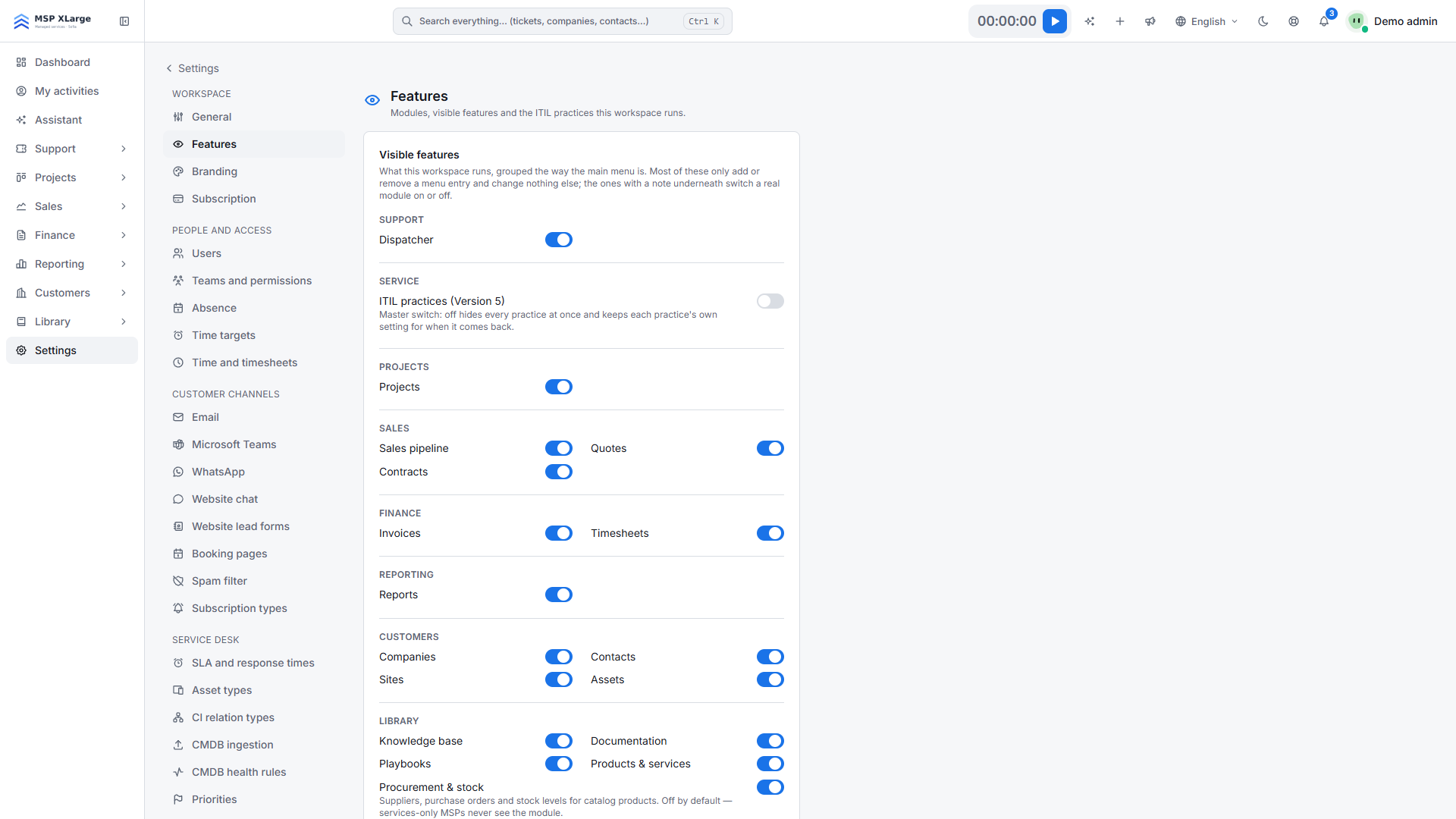
Hiding is not access control: Most toggles only tidy the menu. Permissions and data do not change, and a hidden page can still be opened by its URL. To control who can open what, use Teams and permissions.
Toggles that switch a module on or off
Two rows are real modules, and the page says so: Procurement & stock and Working time compliance. Working time compliance fixes its reference period the first time you switch it on, so switch it on on purpose, not while exploring.
- Dashboard, Tickets and Settings can never be hidden.
- Show assets in the client portal is also on this page and is off by default. See Set up the client portal.