
General settings
Set the region, week start, number format, enabled languages, ticket numbering and customer model.
Settings → General holds the workspace-wide defaults. The getting-started wizard fills most of them from your country; check them before other people sign in. Each person can still set their own language, date and time format and time zone.
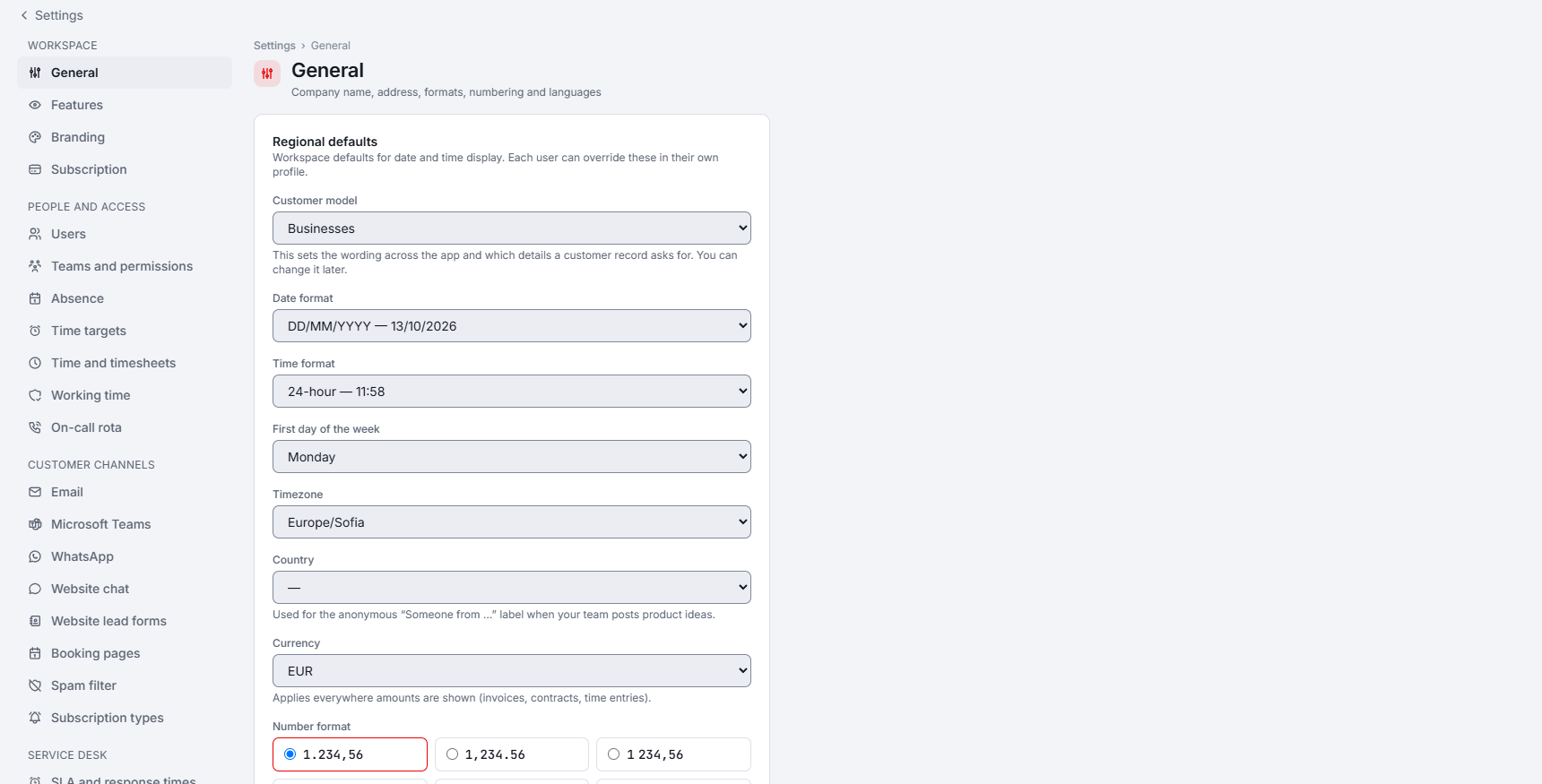
Region and formats
- First day of the week: Monday by default, or Sunday. The timesheet grid, the personal calendars and the timesheet period follow it.
- Number format and Currency symbol: how amounts are written (for example
1.234,56or1,234.56) and whether the symbol comes before or after the amount. Staff can override the separators on their profile. Customer-facing PDFs and e-mails always use the workspace format. Stored amounts never change.
Languages
Languages is the list of enabled languages; by default all 25 are enabled. It filters every language picker: the interface language for staff and the client portal, contact languages, knowledge base tabs, canned-response and priority translations, e-mail template languages and ticket translation targets.
- English cannot be disabled, because it is the fallback language.
- Content in a language you disable stays readable; the language only disappears from the pickers.
Ticket numbering
Set the Ticket number format and the Starting number. The starting number can only raise the counter, never lower it below existing tickets.
Customer model
- Businesses: every customer is a company. This is the default.
- Private individuals: every customer is a person, created with a first and last name.
- Both: you choose the kind each time you create a customer.
A private individual has no VAT number, sites or business units, and their quotes and invoices are priced including VAT. A customer's kind can be changed until they have a quote or an invoice.